Nexxen/Amobee: How to Create a Deal
Follow
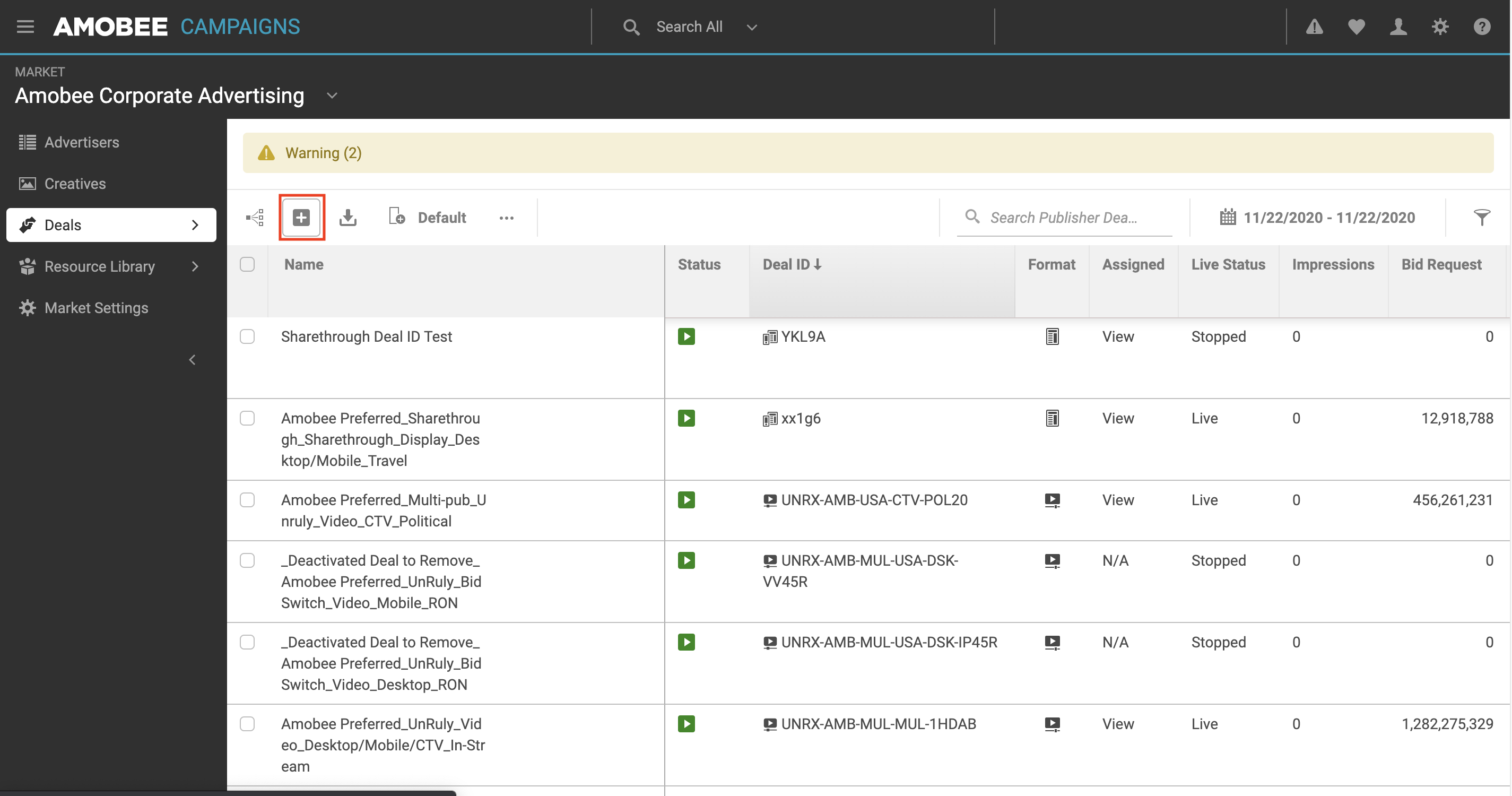
- Select "Deals" on the left rail
- Select the "+" sign
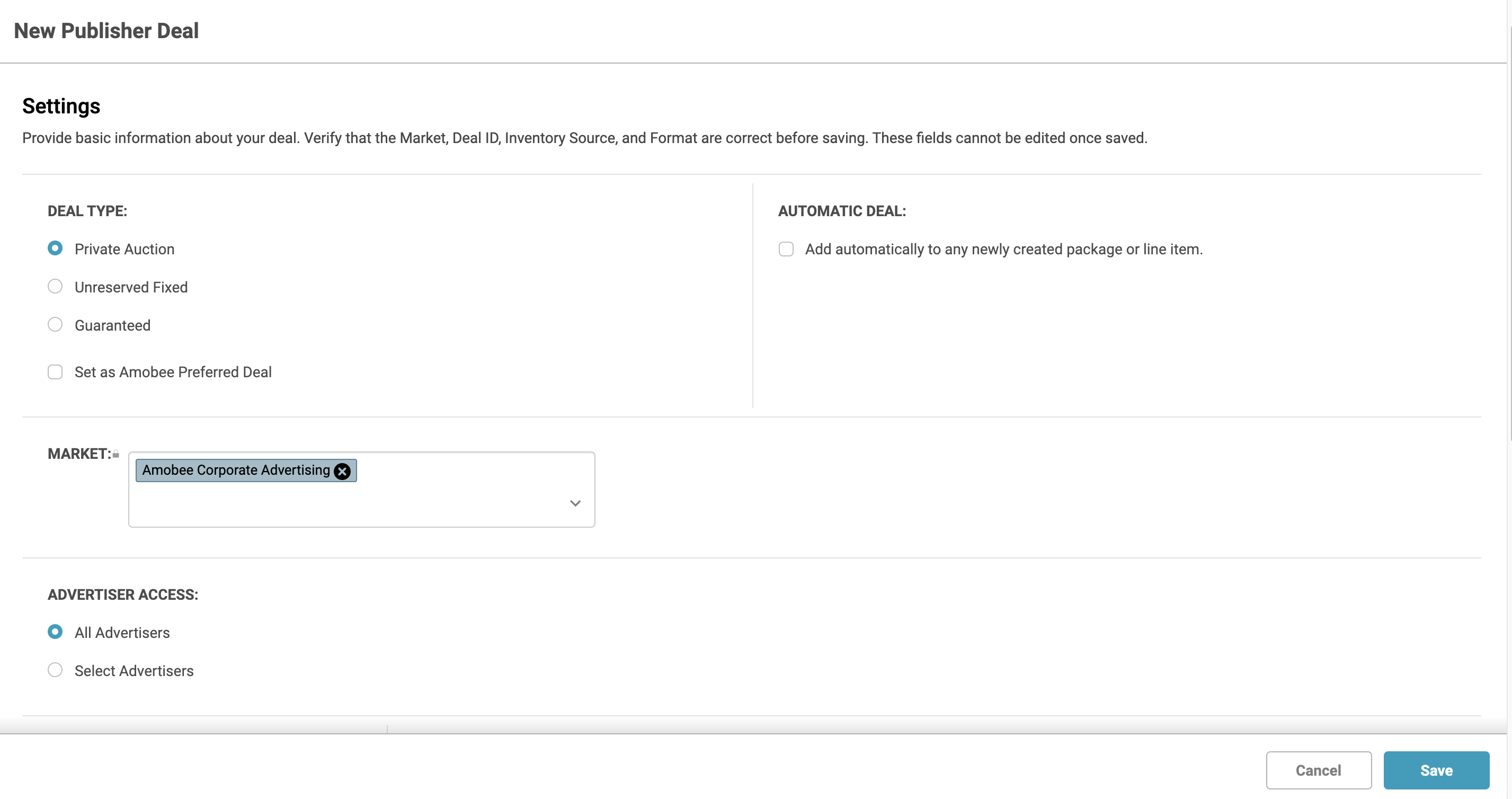
- Deal Type: Select Private Auction
- Advertiser Access: All Advertisers
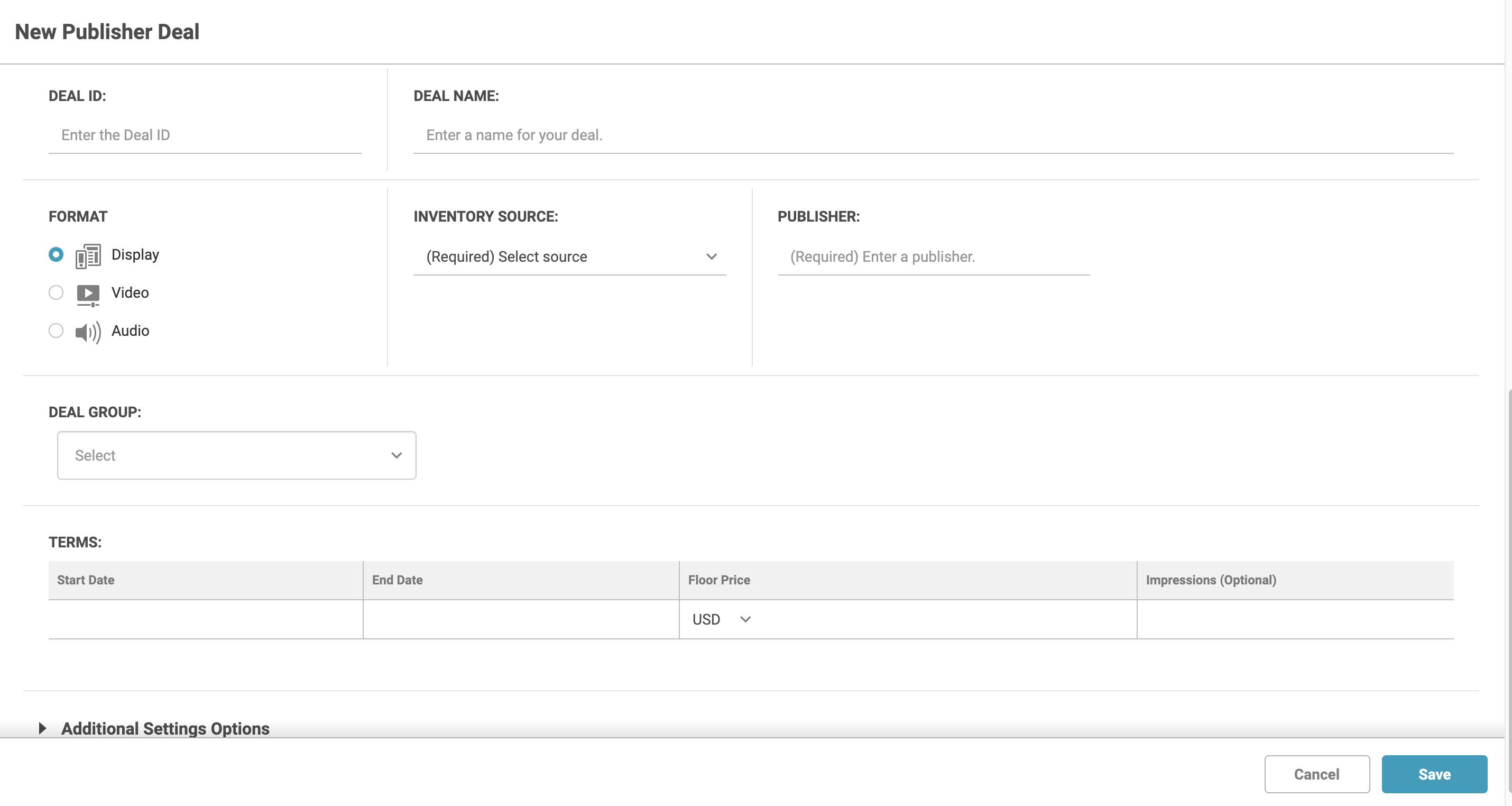
- Enter in the Deal ID and Deal Name Equativ or Sharethrough provides.
- Select Display as Media Type.
- Select Sharethrough or Equativ as the Inventory Source.
- Type in Sharethrough or Equativ as the Publisher.

Comments
0 comments
Please sign in to leave a comment.